
Learn what a Zone/Neighborhood School is and how to display an individual student's zone school to their guardian(s).
What's included in this article?
What is a Zone/Neighborhood School?
A student's zoned school (also called a neighborhood or catchment school) is the school they have the right to attend and (usually) receive transportation to based on their residential address. This is typically based on geographical boundaries set by the school or district to manage student numbers.
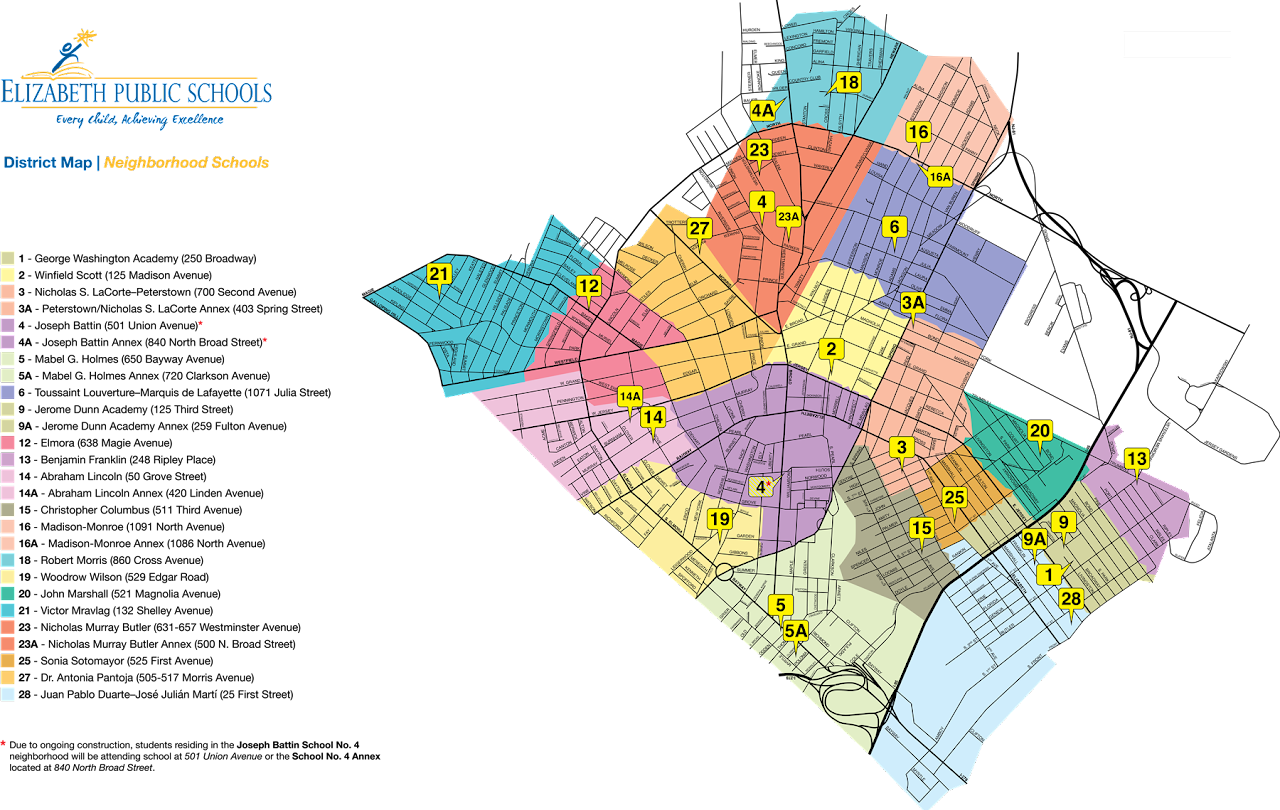
For example, the Elizabeth Public Schools district in Elizabeth, NJ, has a school zone map. Each zone is color-coded. Zone 2, marked in yellow, is for Winfield Scott. Students living within this yellow area will attend Winfield Scott as their zoned or neighborhood school.
Display the Zone/Neighborhood School
Zone schools can be displayed to guardians in two ways in Enroll:
- as a Zone School Banner on the program/school selection step, and/or
- as a separate field in a form process
Before using either of the options above, boundary files must be imported and assigned to schools appropriately. Review this article to learn how to import boundary files.
Banner Display
Navigate to Settings > Forms > Applications or Registrations > edit pencil icon to select which form process will use the "Enable Neighborhood School Banner" option.
View of the neighborhood school banner within an application.
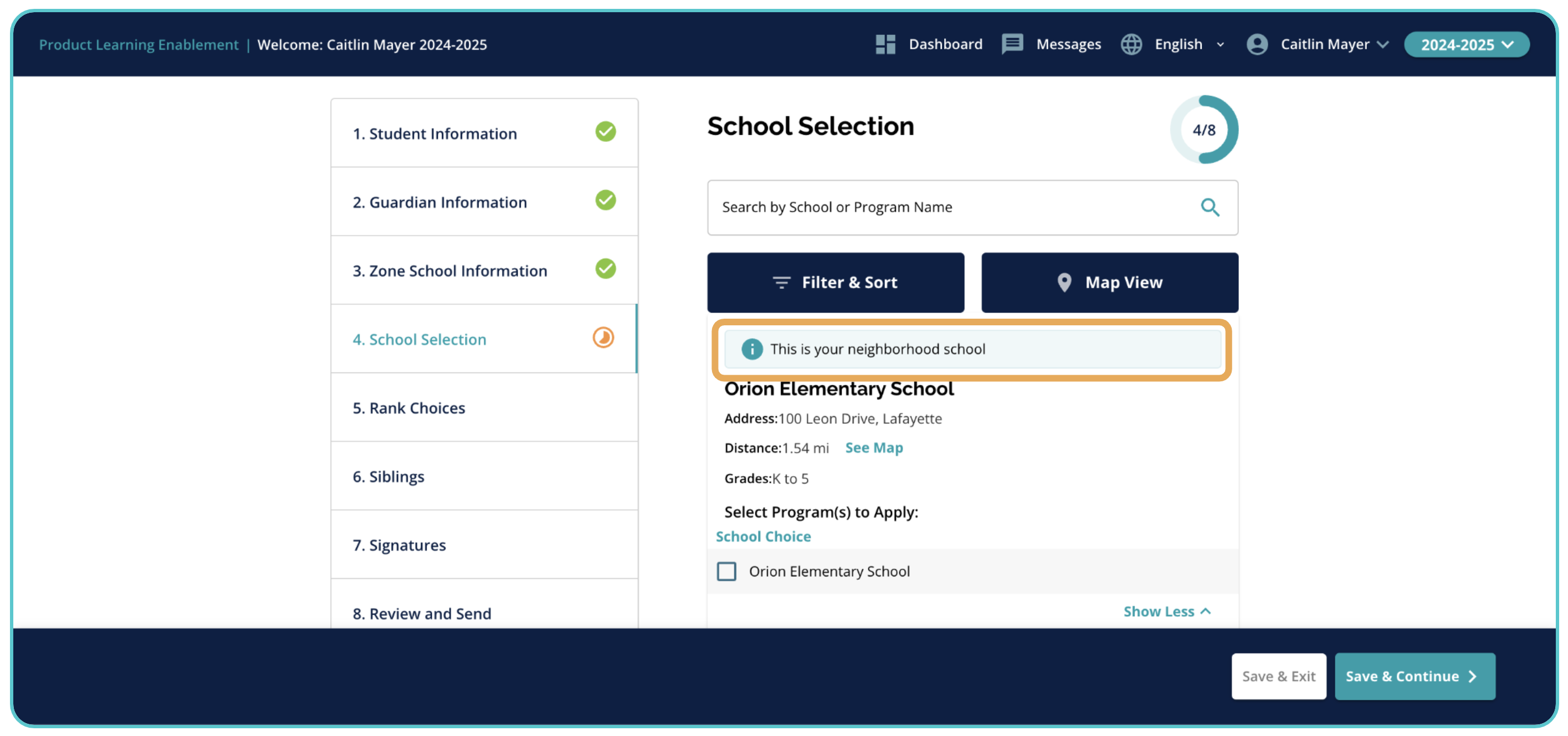
- Important Note: When the neighborhood school banner is enabled, the neighborhood school will ALWAYS appear at the top of the list of schools displayed to families, regardless of its distance from the student's home address.
Form Field Display
It's important to use the field "zone_school_id" on the Student Annual record, as well as use the Schools data source. It is also important to use a Dropdown field type to ensure the display functions as intended. Lastly, you should use the option Disable Always (Read Only Current Value) so that the parent sees a read-only field.
The Enroll platform also allows up to two (2) zone schools per student, so if you need multiple zone schools to show for students, the field "zone2_school_id" can also be used in the same capacity to show both zone schools in the form.
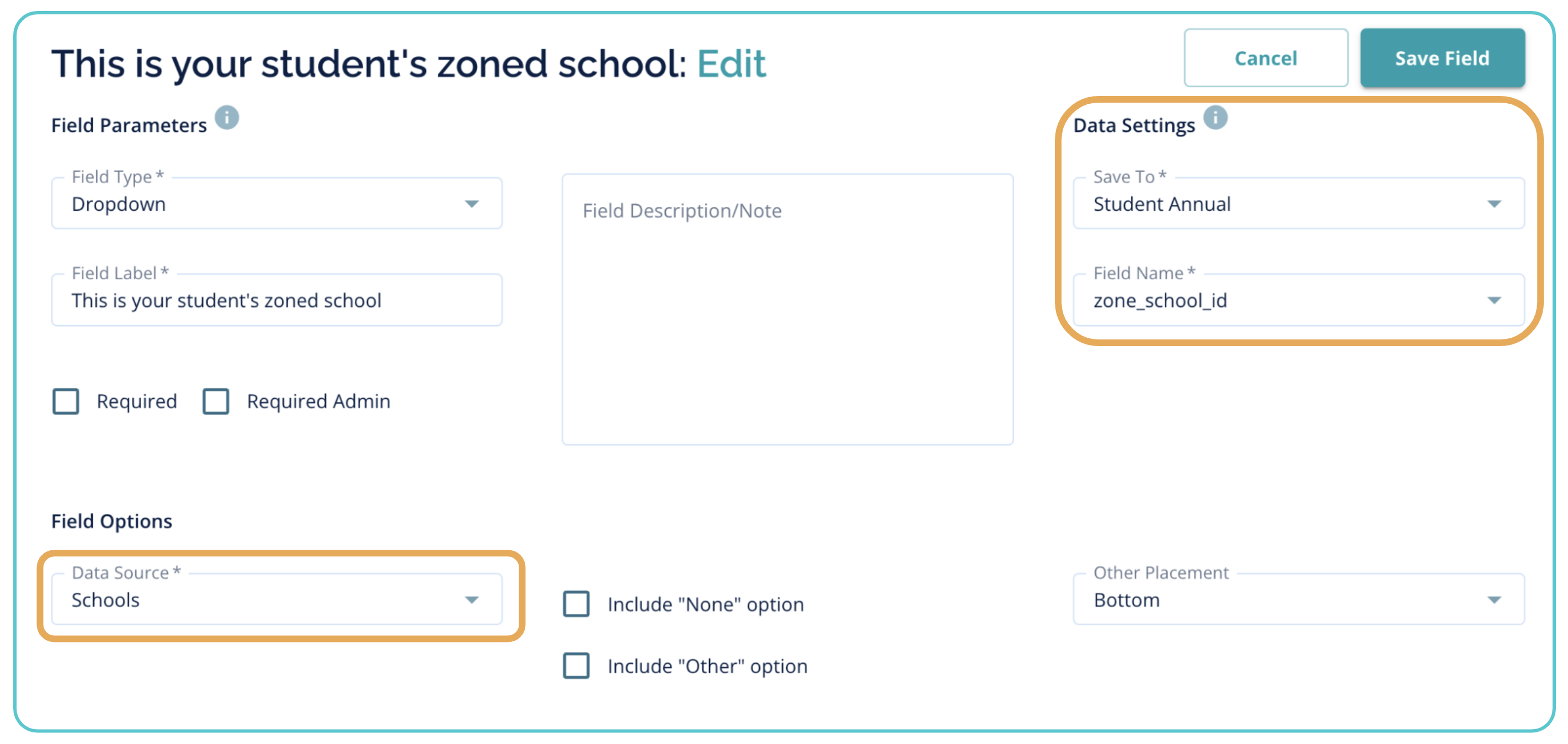
After this field is created, it will show on the form to guardian's like this:

Comments
0 comments
Article is closed for comments.